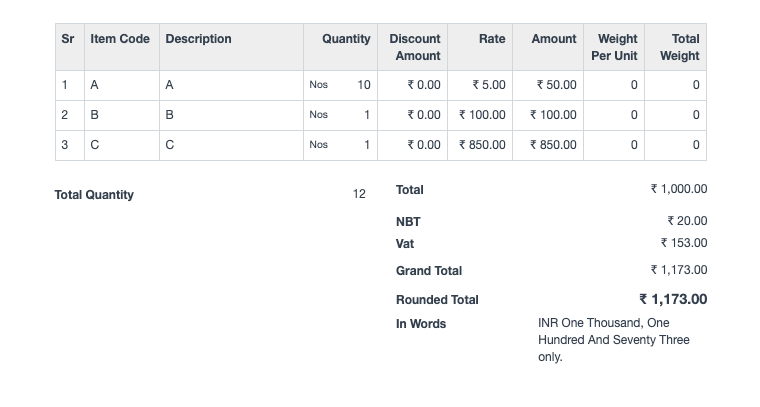
Consider a prospect wants to apply tax on a tax. Let’s take an example tax (NBT) is to be applied on the net total amount of items and then apply another tax (VAT) on it. In the below example, tax NBT 2% is to be applied on sum of value of items, and then tax VAT 15%.
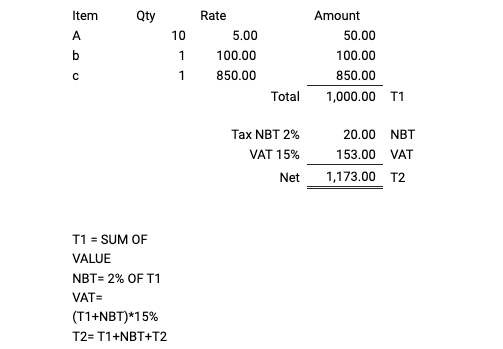
In SAEE-ERP, to map this in Sales Order/Invoice in Sales Taxes and Charges table:
- 1. Select type of tax as On Net Total
- 2. Select or add new tax as NBT and set rate at 2%.
- 3. Then add a new row and select type of tax as On Previous Row Total and select or add new tax as VAT and set rate at 15%.
Expand the 2nd row and add the Reference Row # to 1.
Once you save the document and see the print preview, it will look like the following.